
Using Skills For Standard Workspaces
For those who are connected on LinkedIn you will know that I have been doing work on a project using Google Antigravity.
One thing that I have been exploring is the use of Skills to assist in maintaining standard workspaces. This was something in the past that would have been done in an IDP scaffolding activity or a custom pipeline.
What is interesting is that this can now be done locally using Agent skills within the Antigravity IDE.
For those unaware, a skill is a reusable piece of code that can be used by the agent to perform a specific task. It is defined in a SKILL.md file, which describes the skill, what the Agent is to do, when it should be used and any parameters it requires.
As part of this post, we will walk through the skill I have created to scaffold a new workspace and its components.
How I have approached this is to use a global skill in the ~/.antigravity/skills/ directory. Choosing to define the skill as global means that it will be available to all workspaces. Skills can also be defined at the workspace level, which means that they will only be available to that specific workspace.
Each skill within the skills directory is contained within its own directory. The name of the directory is the name of the skill.
mkdir -p ~/.antigravity/skills/validate-workspace
Within their directory, each skill has a standard structure defined in the Antigravity documentation.
validate-workspace/
├── SKILL.md # The definition file
├── scripts/ # [Optional] Python, Bash, or Node scripts
     └── check_workspace.py
└── resources/ # [Optional] Artifacts to be leveraged by the skill
    └── manifest.json
For the validate-workspace skill, we will be leveraging the:
- SKILL.md file to define the skill and its parameters.
- scripts/ directory to hold our validation script.
- references/ directory to hold the config of what to validate.
First, let’s define the skill in the SKILL.md file. This file is what provides the context of how, what and when the skill should be used. Let’s break this down for the validate-workspace skill:
- What: We want a skill that will validate a workspace to ensure consistent development dependencies are met.
- How: The skill will use a set of centralised rules in
references/directory that will be fed into a script in thescripts/directory. - When: Tell Agents to use this skill when the workspace is opened in the IDE.
At the top of SKILL.md file there is a table that contains the name and description of the skill.
---
name: validate-workspace
description: Use this skill when a workspace is created or opened to ensure that specific files, directories, and configurations exist within a workspace.
---
This sets the initial context for the skill and is used by the agent to understand what the skill is about. This short description should summarise the What and define the When of the skill.
Next, a title and description are provided to the Agent to understand the What of the skill in more detail.
# Validate Workspace Skill

This skill allows the agent to verify that the workspace adheres to specific structural requirements. This is useful for maintaining consistency across projects, ensuring documentation is present, or verifying that a build environment is correctly set up.
Next is the Usage section. This is where we provide the Agent with the context of the How the skill so the Agent knows what to do when performing this skill.
## Usage

The skill provides a script `check_workspace.py` that takes a JSON manifest as input. This script takes `manifest.json` as an argument, which defines the required files, directories, and configurations that must be present in the workspace.

`manifest.json` is located in this skill's resource directory.

When feedback is received from the `check_workspace.py` script, the agent can use this information to prompt the user to add missing items or to automatically create them if possible.
As subsections of the skill we also want to add context of how the Manifest is structured and how to use this with the python script that performs the evaluation.
In this skill definition we define a Manifest Format subsection to provide the agent with the context and an example of how the Manifest is structured.
### Manifest Format

The manifest is a JSON object with a `requirements` key, which is a list of requirement objects.

```json
{
  "requirements": [
    {
      "path": "README.md",
      "type": "file",
      "message": "Project must have a README.md"
    },
    {
      "path": "src",
      "type": "directory",
      "message": "Project must have a src directory"
    },
    {
      "path": ".env.example",
      "type": "file"
    }
  ]
}```
Following this, we define the Running the Check subsection to provide the Agent with:
- Context of how to use the resources provided for the skill
- An example of how to run the script
- What the expected output is and what that output represents.
### Running the Check

The script does not require the creation of a manifest file within the workspace to be run and should use the `manifest.json` provided in the skill's resource directory. The script will check for the presence of the specified files and directories in the current workspace.

Execute the script from the root of the workspace:

```bash
python3 /Users/dalestirling/.gemini/antigravity/skills/workspace-guard/scripts/check_workspace.py /Users/dalestirling/.gemini/antigravity/skills/resources/manifest.json```

The script will exit with code 0 if all requirements are met, and code 1 otherwise, listing the missing items.
So now we have a skill and the resources to support it configured, let’s use this skill to bootstrap an empty workspace.
A workspace in its simplest form is a directory on the device you’re using antigravity on.
mkdir -p ~/tmp/validate-demo
Next, open the workspace in Antigravity by going to File > Open Folder… and navigating to the directory we just created. This will open the workspace in Antigravity (you may get prompted about the directory trust depending on settings).
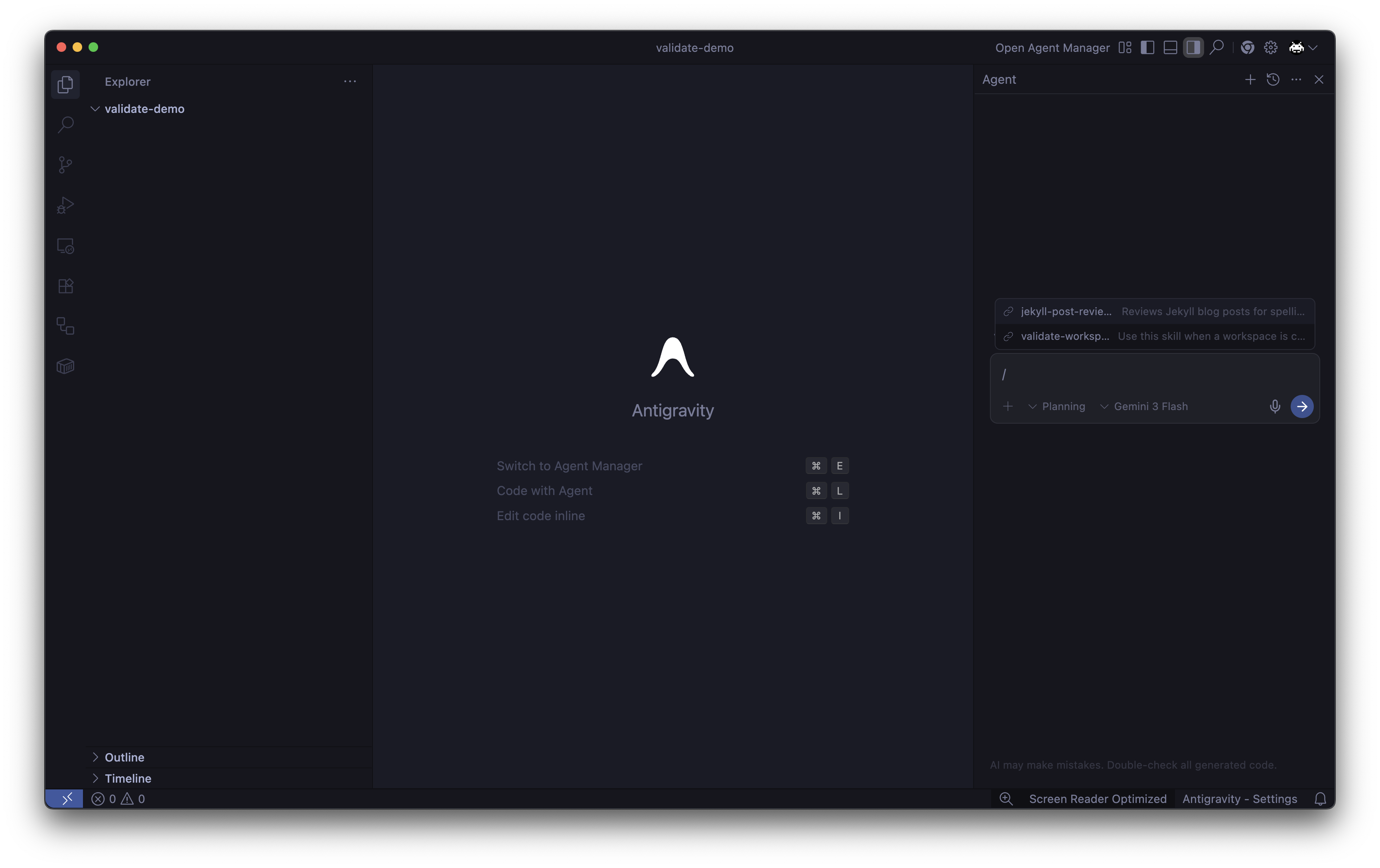
Go to the Agent chat window and type in / this will show you the skill that the Agent can see within the work space context.
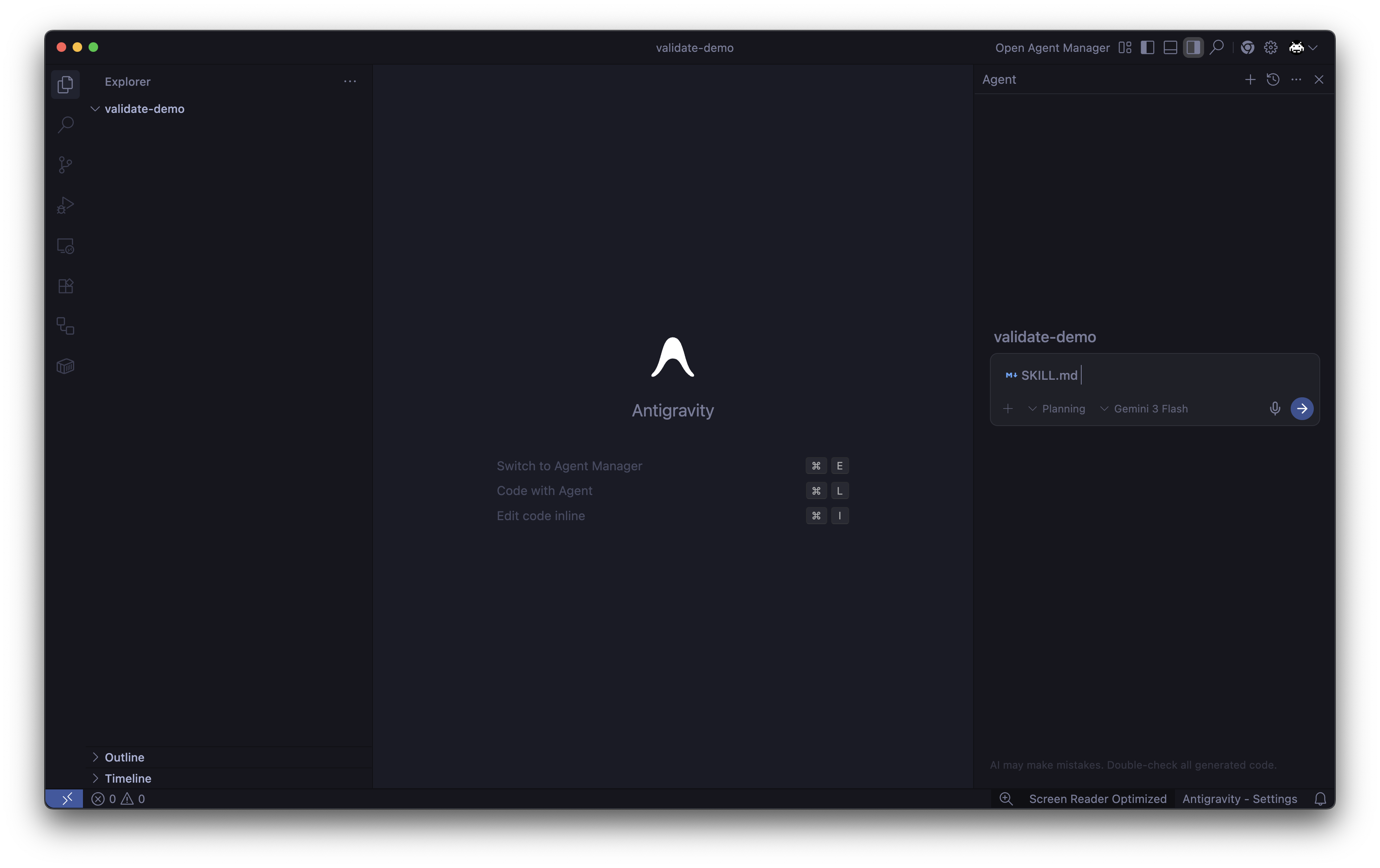
This will put the SKILL.md file into the Agent’s context, now click the -> button to send this context to the Agent.
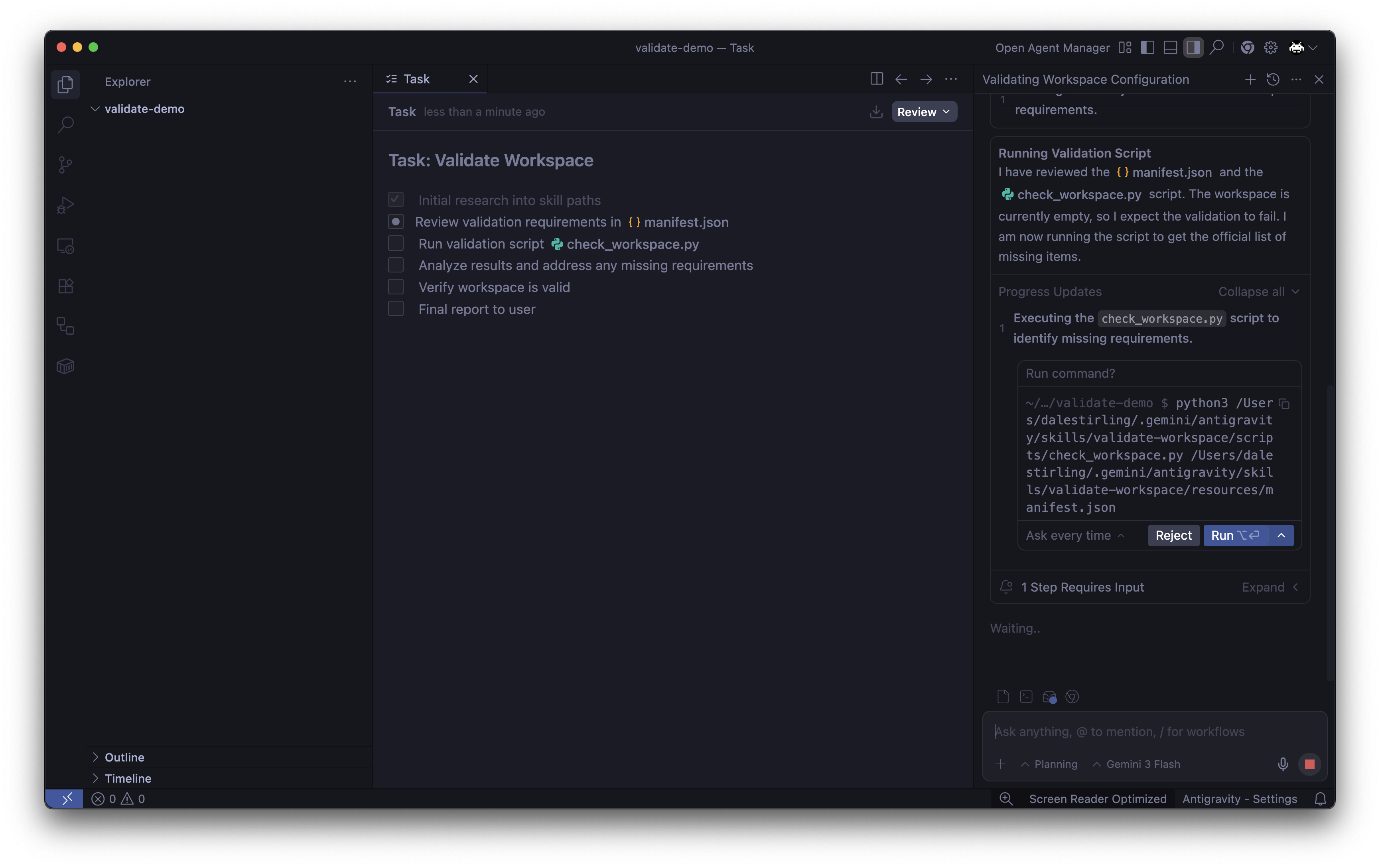
The agent will now analyse the skill and review the resources provided to it. From this analysis the Agent will create a Task artefact to manage the actions it requires to perform the skill (centre window). In the screen shot below, you can see that after the initial research task the next activity is to execute the check_workspace.py script. My settings require that I approve this script before it is executed.
The Agent is given context from the message key of the manifest for each missing item. This message is a plain text statement. As the script iterates through the requirements in the manifest.json it keeps track of the messages and returns them at the end of the script.
For our empty workspace, the script will return the following output:
Workspace verification failed:
  - Project must have a README.md to outline the project and how to run it
  - Project must have a .gitignore file to specify which files and directories should be ignored by Git
  - Project must be initialized as a Git repository to track changes and collaborate with others
  - Project must have a tests directory to organize test files and ensure code quality
After running the script, the Agent will review the output from the skill and generate an Implementation Plan of the activities that need to be performed based on the output from the script.
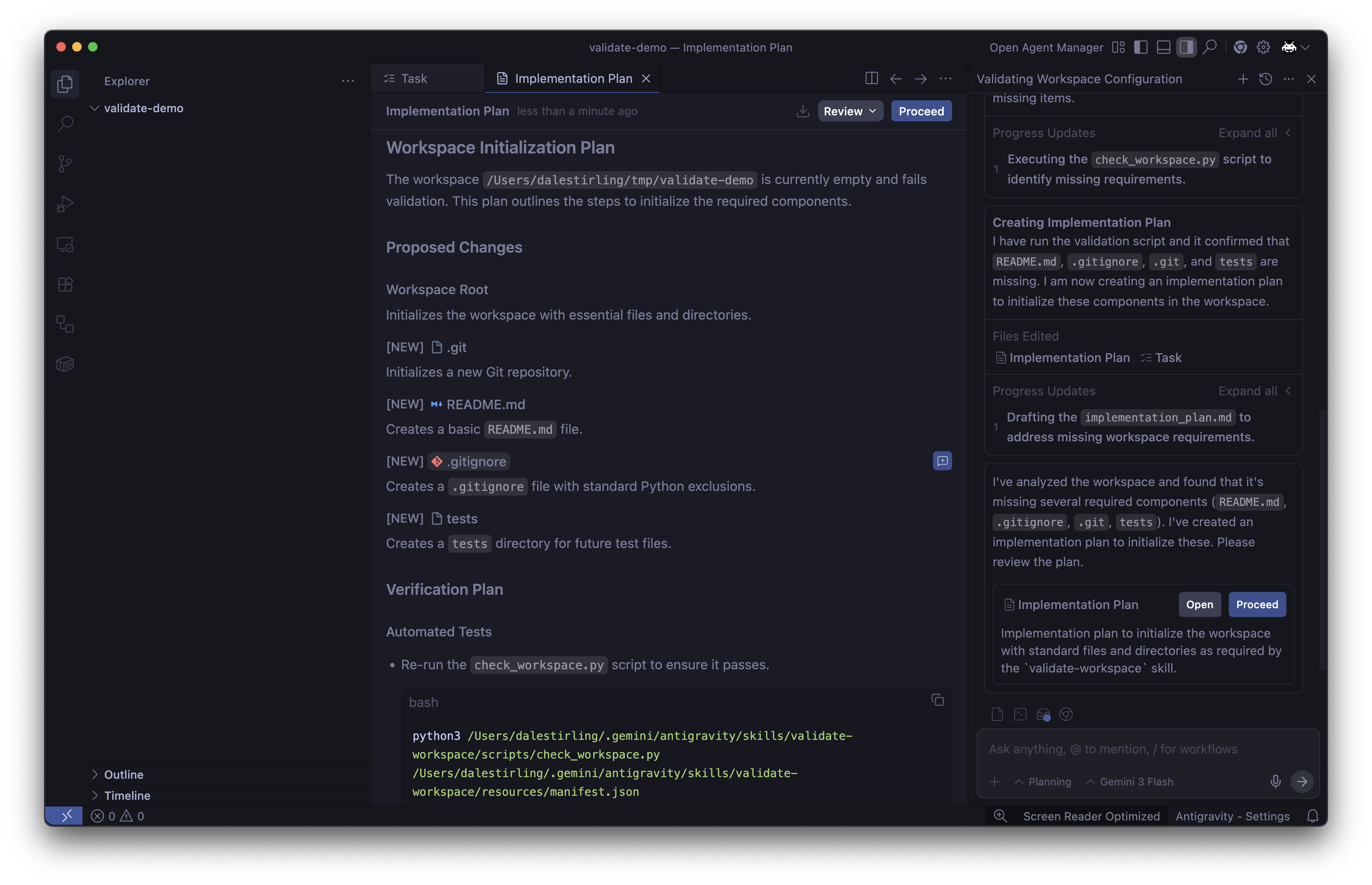
The Implementation Plan is the feedback loop to the developer, my Antigravity settings requires the Agent to wait for my endorsement before proceeding with the implementation of the plan. After I review the plan and approve it, the Agent will proceed to implement the plan.
Now the agent will go through and create the artefacts as it said it would in the Implementation Plan. Then running the check_workspace.py script again will confirm that the workspace is now valid.
Once the Agent has completed the implementation of the plan, it will generate a Walkthrough artifact to provide the developer with a summary of the actions that were performed and the results of those actions. Including confirmation that the workspace is now valid based on the definition in the manifest.json.
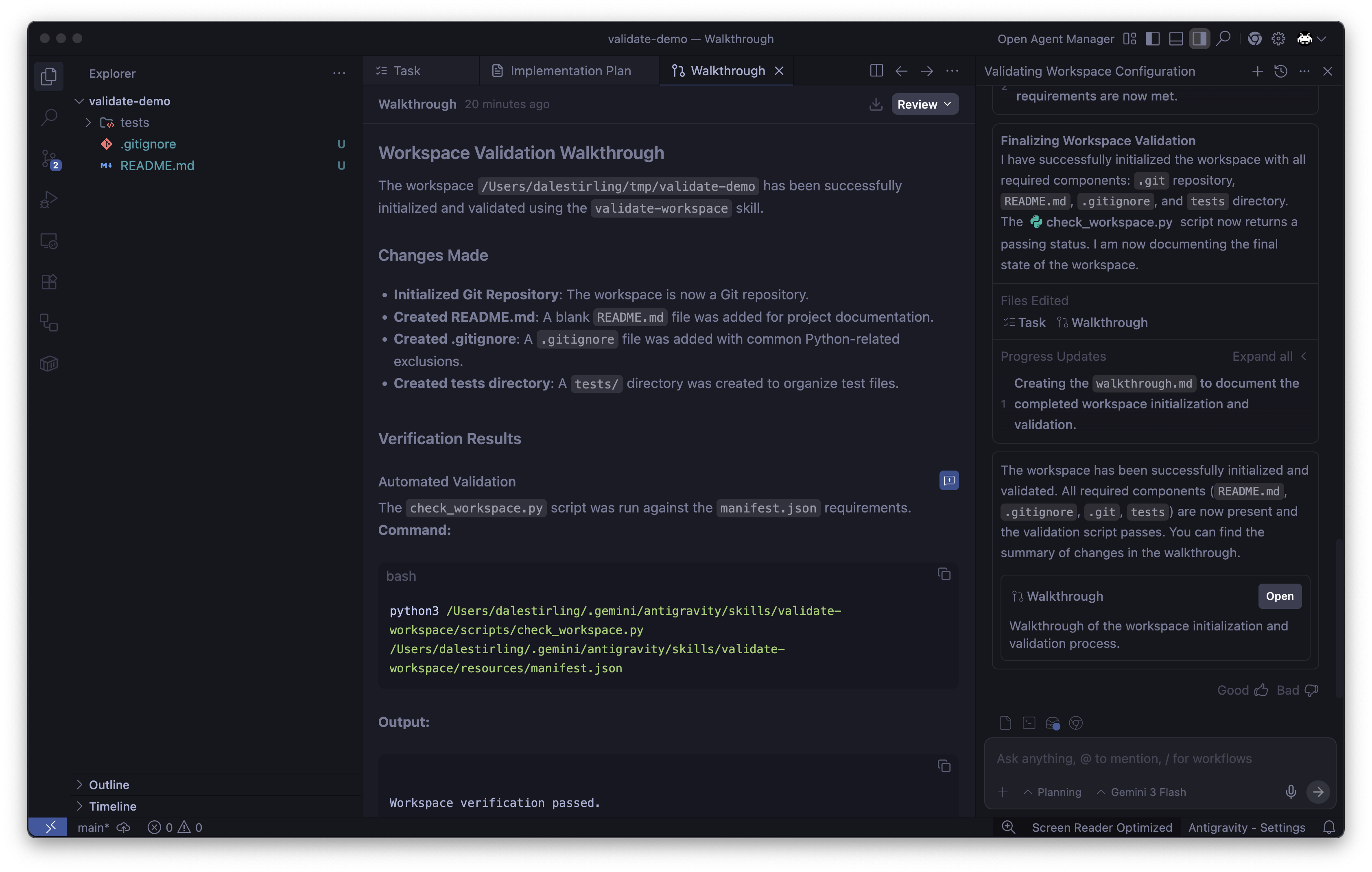
While I am learning the ins and outs of Antigraviry, I do have a lot of the approvals enabled as checkpoints, allowing me to understand the flow of the Agent and how it is making decisions. This process could be further accelerated by allowing the Agent to make decisions and execute commands without approval.
I do also see that using these across teams could be a challenge as there is no great way to share the skills between team members. Doing some research it seems that the current process is to manage this outside of the tooling and creating a centralised “skills library” in a Git repository and symlinking it to the Antigravity installation.
For those interested I have uploaded the resources for this skill in the following GitHub Gist.
Written on February 28, 2026