
I have a Copilot in VIM
DISCLAIMER: This post was generated using suggestions and completions from GitHub copilot.
I am a long term user of Vim, as being a Systems Engineer and DevOps person, I am often working directly on servers where Vim is the default editor available. I found the challenge with this is as you do more within an IDE (VSCode, SUblime Text, Atom, etc) I would start to slow down and forget how to use Vim effectively.
My way to resolve this was to use Vim as my default “IDE” on my local machine, while this helped with retaining proficiency, I still felt I was missing out on the productivity enhancements that IDEs provide. This lead to the VERY deep rabbit hole of Vim plugins to try and replicate the experience I was used to in an IDE.
Recently, I decided that it was not fair that I had to mis out on GitHub copilot just because I was using Vim. After some research, I found that there is a plugin called “copilot.vim” that allows you to use GitHub Copilot directly within Vim.
This Post will walk you through the steps to get GitHub Copilot set up in Vim.
Firstly, you need to have Vim installed on your machine. You can check if you have Vim installed by running the following command in your terminal:
vim --version
In addition to vim you will need to have a plugin manager installed. I recommend using vim-plug for this purpose. You can install vim-plug by running the following command:
curl -fLo ~/.vim/autoload/plug.vim --create-dirs \
    https://raw.githubusercontent.com/junegunn/vim-plug/master/plug.vim
Once you have vim-plug installed, you can add the copilot.vim plugin to your .vimrc file. Open your .vimrc file and add the following lines:
call plug#begin('~/.vim/plugged')
Plug 'github/copilot.vim'
call plug#end()
After adding the plugin to your .vimrc file, you need to install it. Open Vim and run the following command:
:PlugInstall
Here is an example of my .vimrc file with the copilot.vim plugin included.
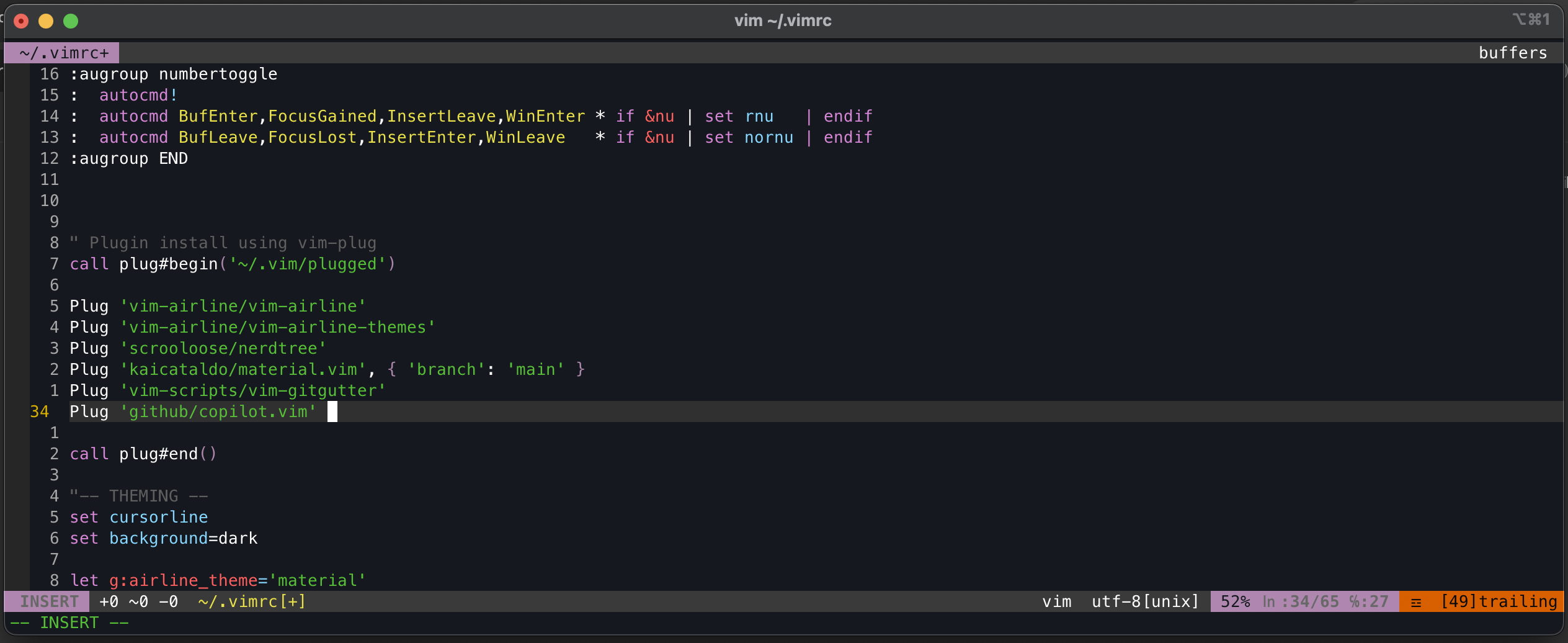
Once this is done, you need to authenticate with GitHub Copilot. You can do this by running the following command in Vim:
:Copilot setup
This command will supply you with a code to authenticate with GitHub Copilot. Follow the instructions provided to complete the authentication process. On the mac, vim opened the browser after i hit enter.
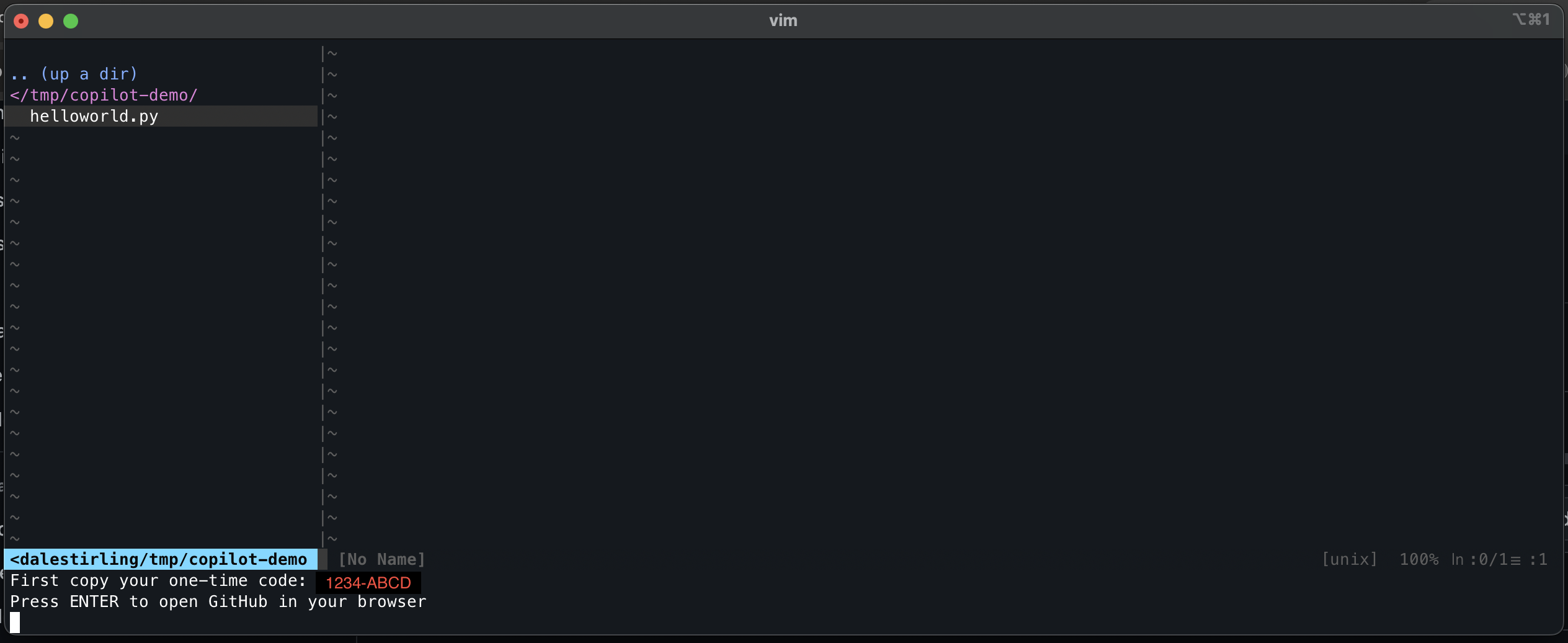
Next you will need to log in to GitHub and authorise the plugin.

This will redirect you to a GitHub page where you can enter the code provided by Vim to complete the authentication process.
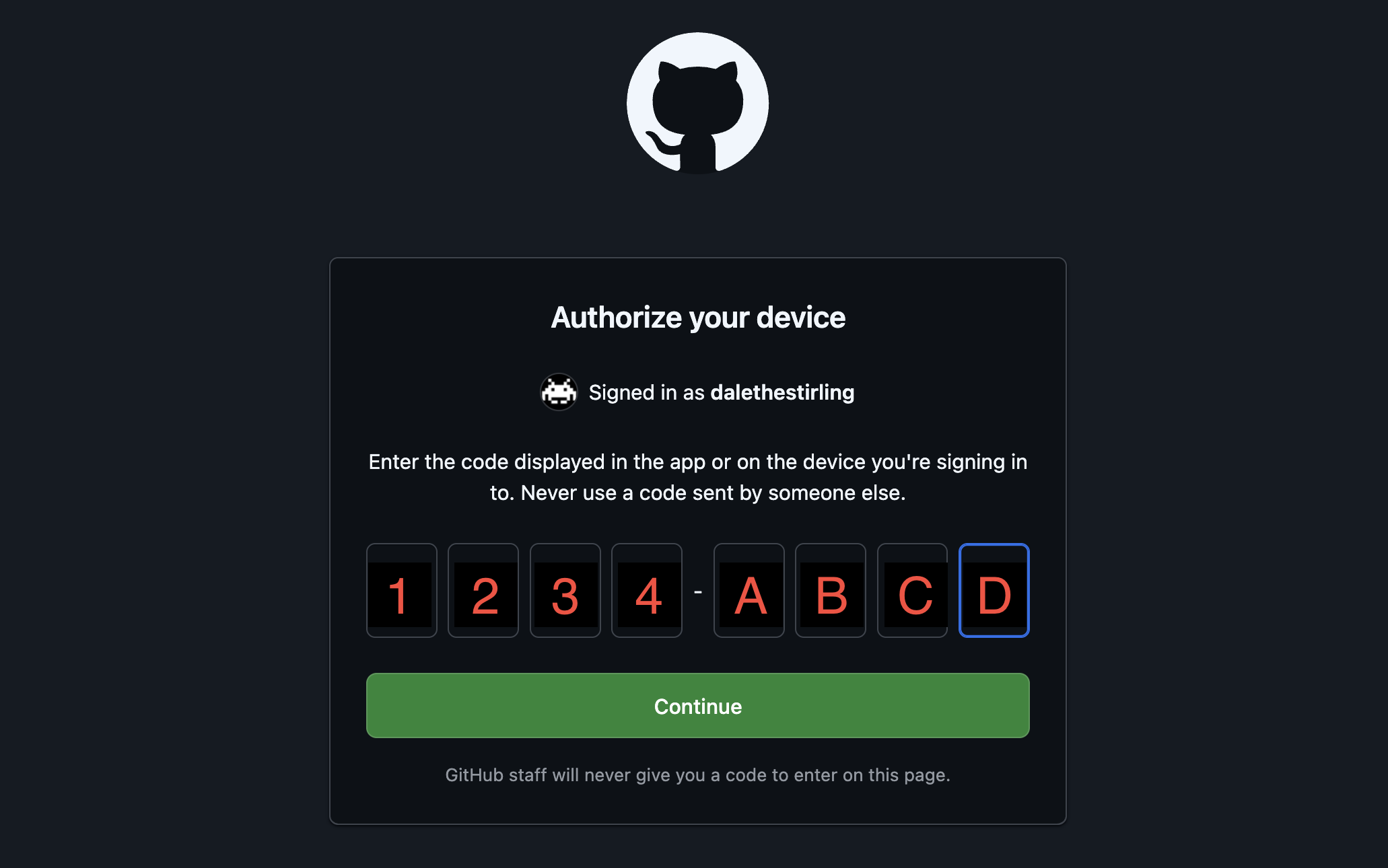
Once you have done these step you shoud see the following success message in Vim.
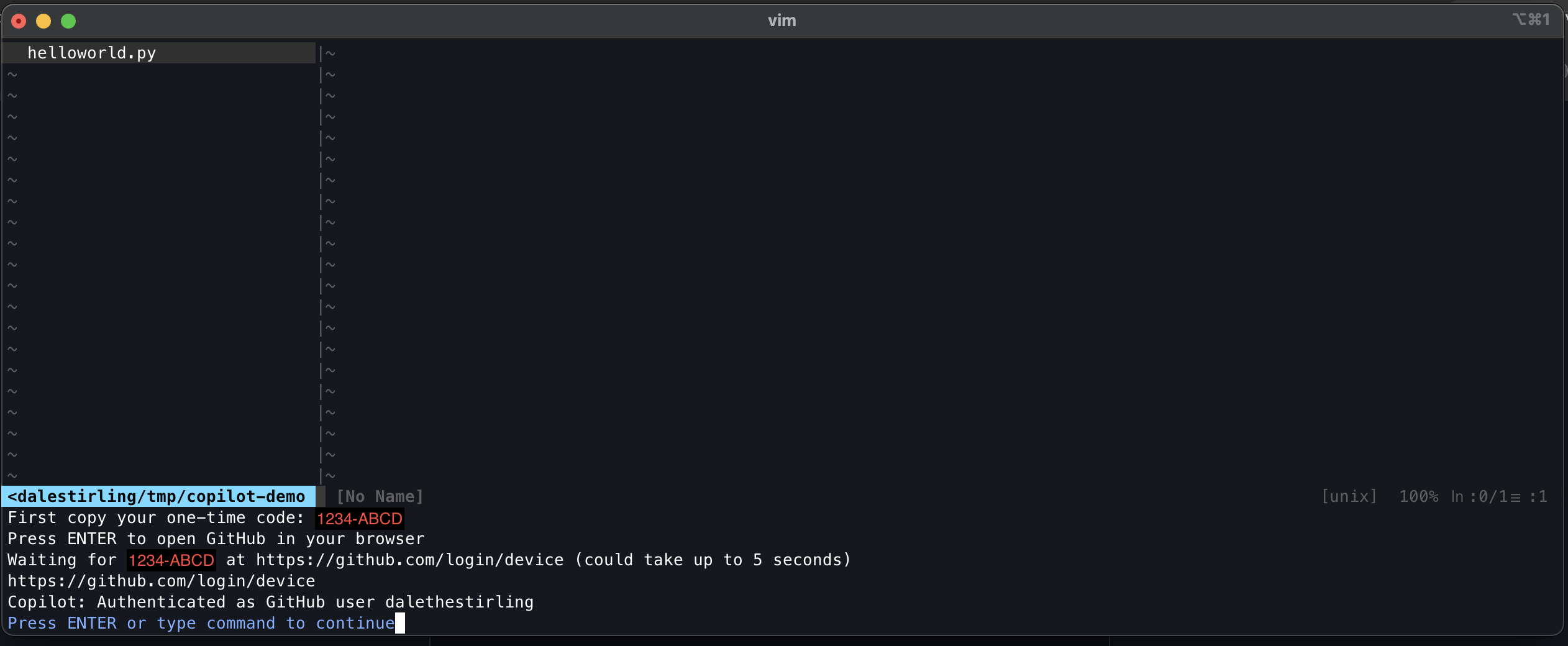
Now you are ready to start using GitHub Copilot in Vim! You can start typing code as you normally would, and Copilot will provide suggestions based on the context of your code. You can accept a suggestion by pressing Tab or reject it by continuing to type.