
Using Agents for Composable Platform Engineering
As systems have moved to become consumers of containers in the Kubernetes architecture, platform engineers like myself have consistently sought to identify and implement ways to abstract away the complexity and empower developers.
The latest evolution of this is the idea of Composable Platform Engineering, where we aim to provide developers with a set of composable components they can use to build systems by reusing standard component templates.
While this accelerates development and deployment tasks there is still a bunch of work in the background for Platform Engineers – the management of the platform itself – that is well suited to Agent based or assisted workflows.
In this example, we are going to work through how I am managing my home-lab Kubernetes clusters using a composable GitOps workflow and how Agentic workflows can assist in making this work easier and more accessible.
I have generated a sanitised copy of the pattern I am using in GitHub here: https://github.com/dalethestirling/agentic-gitops-template, so that we can all follow along together. For this article ./ will refer to the root of this repository.
Clone the repository and follow along. I will wait here.
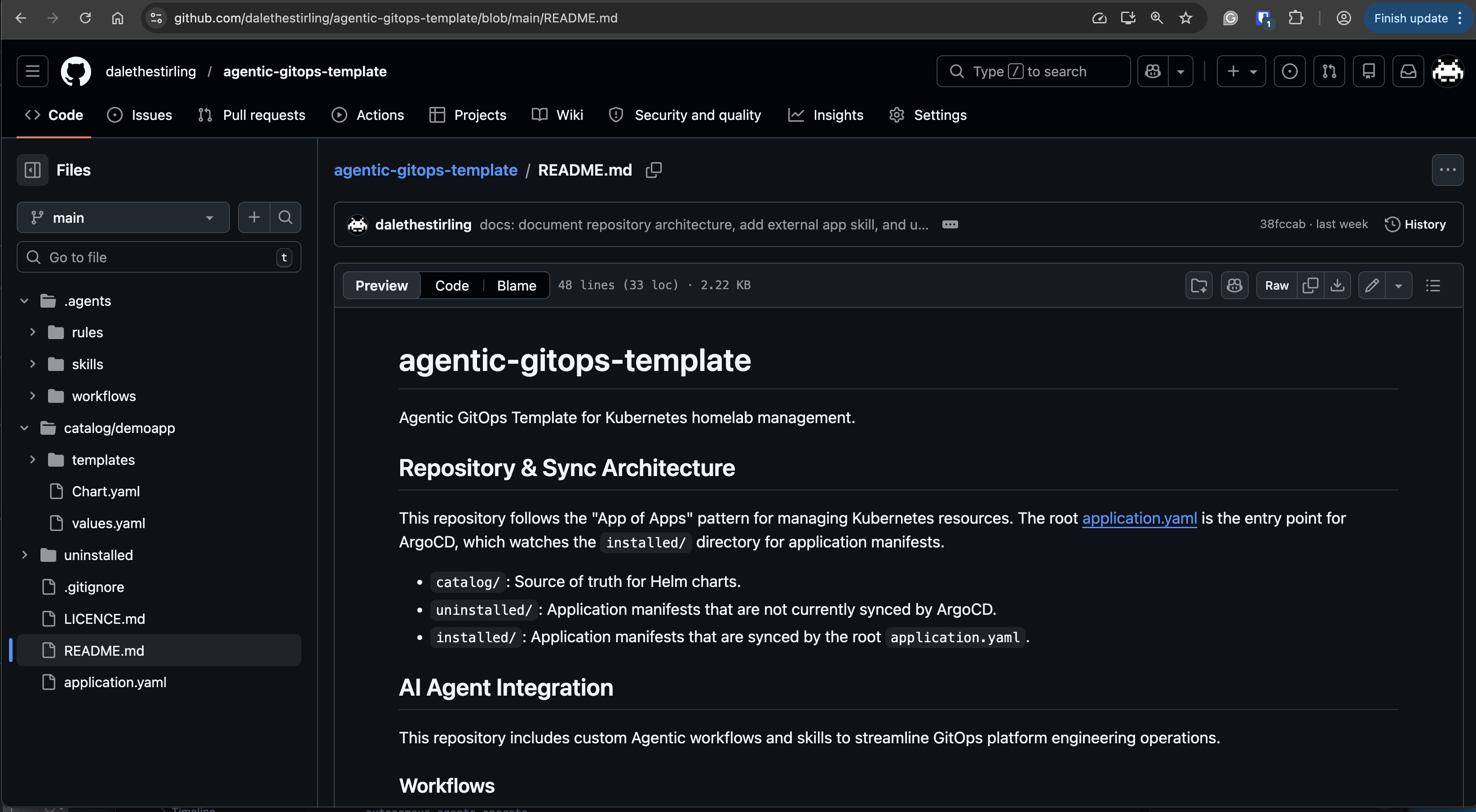
The pattern uses an ArgoCD-based “App of Apps” workflow to manage the installation and deployment of components. This is accomplished by having two directories to manage the ArgoCD application resources managed by the “root” application resource:
- The
./installeddirectory contains the ArgoCD Application resources for the components that are in ArgoCD’s sync scope and therefore installed on the cluster. - The
./uninstalleddirectory contains the ArgoCD Application resources for the components that are not in the sync scope of ArgoCD and therefore not installed on the cluster.
Applications within these directories reference the application manifests in the ./catalog/<app-name> directory. These can be components that are leveraged from external sources, such as Helm charts, or components that are defined within the repository.
To optimise this workflow using Aequip them with the necessary skills and instructions to provide meaningful assistance ingents, we need to provide Agents with the necessary skills and instructions to be able to provide meaningful assistance with the correct context. This will be done using workspace based constructs, these are defined in the ./.agent directory and only apply to this workspace.
To achieve this we have defined the following types of instruction that we will walkthrough:
- Workflows: are sequences of tasks that are executed in a specific order to achieve a specific outcome. These are either defined in the workflow or reference a skill.
- Skills: are modular, self-contained, and often automated “how-to” instructions that AI agents invoke on-demand to a specific action or task.
- Rules: are the human-defined constraints, goals, and ethical guidelines that govern how autonomous agents operate.
Let’s walk through how each of these AI enablers are used to optimise the composable GitOps pattern.
Workflows
The deploy-app and undeploy-app workflow inform the agent on the steps required to move an application between the two directories. These include not only moving the file, but also:
- Quality Assurance: through the linting and validation of files.
- Documentation Accuracy: ensuring that the
README.mdreflects the correct state. - Commit of changes: committing the state to the repository, ready for deployment via a
git pushto the remote repository.
Thanks to this we can move all of these actions to a simple operator action of communication with the agent with statements such as Deploy demoapp or install demoapp.
One of the other labor intensive tasks is the creation of new applications. The workflow scaffold-catalog-app provides agents with instruction on how to create a new application in the ./catalog directory. While the workflow add-external-app provides instructions on how to add an application that is utilising an external helm chart.
These workflows create the required artefacts, but also hint the Agent on what commands might help For example, the scaffold-catalog-app workflow includes the command helm create to scaffold a default app, but also instructions to remove unnecessary boilerplate.
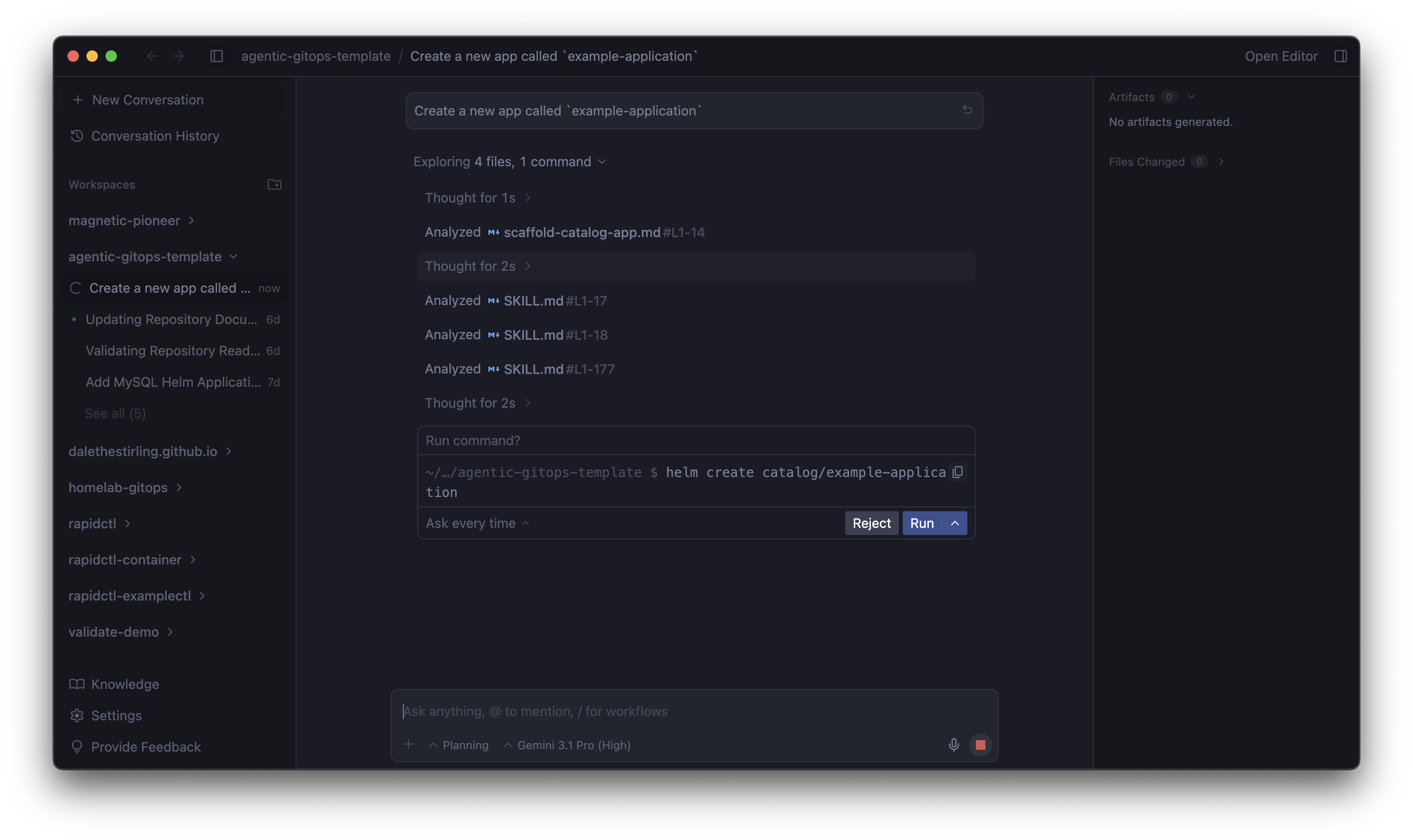
These workflows will also guide the Agent to what data is necessary to complete the task, with the add-external-app has explicit instructions for the Agent to ask for a number of pieces of information from the user, if not already supplied.
Checkout these workflows in the ./.agent/workflows directory.
As with the deployment workflows these application creation workflows ensure that they are creating quality results by having defined documentation and quality assurance steps in the workflow.
Skills
Workflows are not the sole mechanism of change and management of this composable GitOps pattern. Skills are used to provide more detailed explainations of individual tasks. These are leveraged both in steps of a workflow, but also directly by the agent to fulfil tasks.
Skills are defined in the ./.agents/skills directory, if you’re not familiar with with how they are constructed I did a walkthrough in a recent post here.
The helm-chart-standard-reviewer skill contains the expected method to validate a helm chart against the expected requirements. This is used to ensure that specific configurationis present, such as PodTemplateSpec contains a limits and requests definition. But also contains quality control steps such as ensuring the values.yaml is clearly defined and that resources pass validation by helm lint.
To ensure that Application resource definitions meet the same standard the app-yaml-validator skill performs a similar function, but for ArgoCD Application resources. This skill instructs the Agent on how the resource should be structured, conventions and expected values of the source path and repoUrl and the expected destination cluster and namespace. Finally the skill gives the Agent instruction to make updates to be proactive and correct any misalignment.
The above 2 skills are mainly invoked by the workflows discussed earlier to as part of their quality control steps, the version-checker skill exists with the intent to be directly invoked by the Agent when it is asked to investigate the software currency of workloads being managed by the repository.
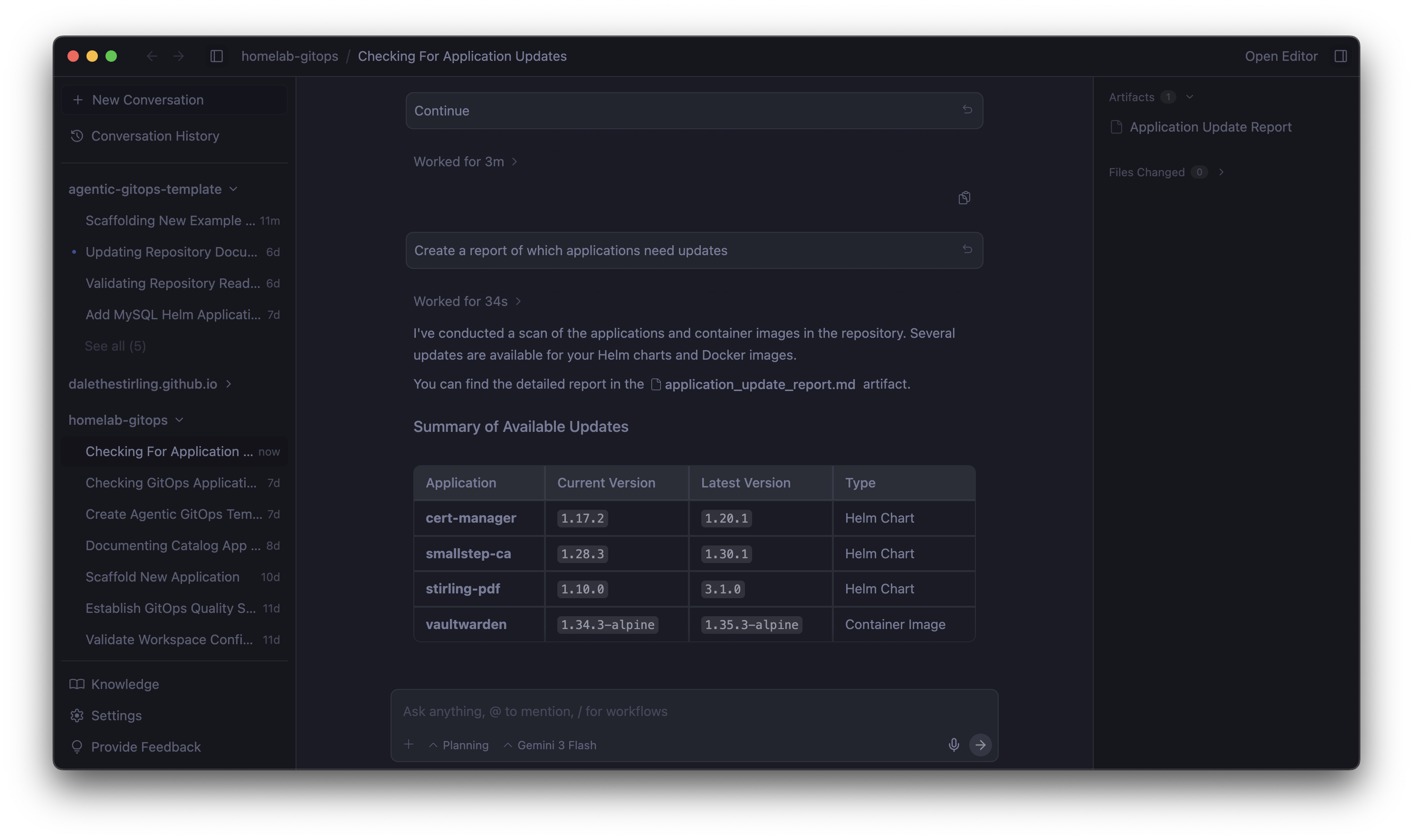
This is achieved by first providing context on where versions may be located within the repository. This is done using the following process:
- Scan the specified folders in the repository looking for the container image tags or helm chart versions
- Filter out the identified versions targeting
latestas versions for these will be managed on deployment to the cluster. Then set the content to try to apply Semantic versioning for comparisons going forward as a priority. - Check for updates using the
helmtooling for versions found in helm charts and use thesearch_webtool to find the latest versions of container images. - Report back findings to the user.
This skill also tells the agent not to use beta or release candidate versions and where instructed to make an update the Agent should validate with the app-yaml-validator skill to ensure quality is maintained.
You may have noticed that these skills only contain the SKILL.md file and not the resources and scripts directories common with the implementation of skills. This is to leverage the Agents knowledge and research capabilities in an effort to reduce maintenance effort of these AI accelerators. So far this has been working well using the Gemini 3 Pro model and fast models, as well as Anthropic’s 4.6 Sonnet and Opus models.
Your mileage may vary though depending on your choice of model and for smaller more compact models moving some of the skill logic may be beneficial for accuracy and performance.
Rules
Now that we have agents helping with the definition, maintenance and deployment of platform components, we need to put some guardrails around the Agents to ensure that they don’t get on a tangent like I tend to. These are defined in the ./.agent/rules directory.
What is great about this is we get to apply the same quality expectations across all Agent actions, including those that are not leveraging the skills and workflows discussed above.
First rule tool-dependencies ensures that the Agent has access to all of the tooling dependencies to mange the repository and its components. This is complimented by the operational-best-practices rule that sets specific context constraints for the workspace, including how to maintain the git log through commit messages.
Now that the Agent has a baseline, this is built uppon by the config-quality and testing-validation rules. These rules set the context and constraints for how quality is to be maintained in the workspace, reenforcing the expectations outlined in skills and workflows.
Lastly the maintain-readme rule ensures that documentation in the `README.md is maintained and represents the current state of the repository.
Putting it all together
So now when I am managing my home lab I can orchestrate rather than implement the majority of the management of the platform’s lifecycle. This makes for a more reliable and stable system.
I can scaffold an app using a prompt such as Scaffold a new application called 'my-app', then work with the agent to develop the app.
Once the application is developed, I can instruct the agent in plan language to deploy the application to the cluster knowing that workflows and rules will ensure that this is done in the intended manner.
Then when I have spare time to manage the cluster I can simply ask the cluster What applications need updates? and the Agent will leverage skills to go and find updates and propose them to me for review and approval.
It still needs a human in the loop to approve the changes, but the agent can do all the heavy lifting. How I do this in my implementation of Antigravity is by creating hard gates that force the “human in the loop”. Some of these are:
- I have a passphrase on the SSH key for GitHub so that I need to enter it to allow the agent to push changes to the repository.
- I have Antigravity set to ask for approval to run commands, I add approved commands to run automatically where they are known and low risk.
- I leverage Antigravity’s Implementation Plan artefact to review the proposed steps to be taken by the Agent and ensure they align with expectations.
It is also important to note that as this is not set and forget and these enablers for Agents need to be monitored and maintained, so observing the Agents use and uplifting are critical to the success of this pattern.
Written on March 29, 2026